File:P70-0 4-70-(20)-03102020.png
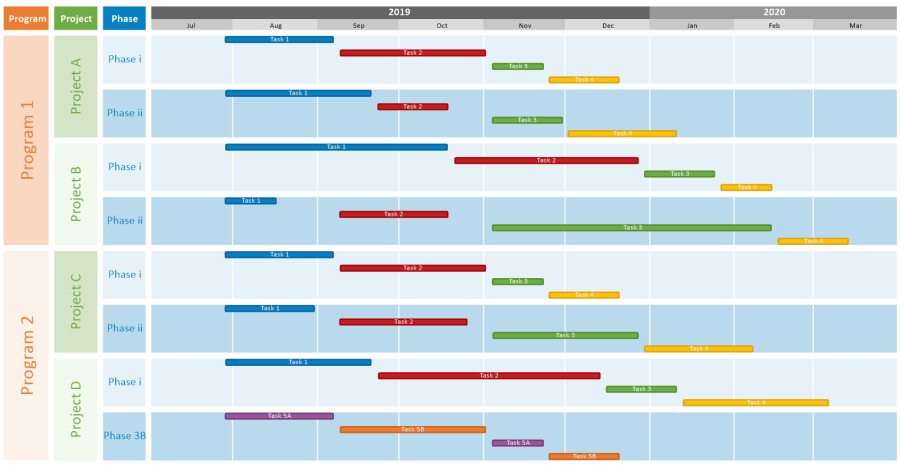
Size of this preview: 800 × 416 pixels. Other resolution: 900 × 468 pixels.
Original file (900 × 468 pixels, file size: 45 KB, MIME type: image/png)
P70-0_4-70-(20)-03102020.png
File history
Click on a date/time to view the file as it appeared at that time.
| Date/Time | Thumbnail | Dimensions | User | Comment | |
|---|---|---|---|---|---|
| current | 13:59, 10 March 2020 | | 900 × 468 (45 KB) | Rfeingold (talk | contribs) | P70-0_4-70-(20)-03102020.png |
You cannot overwrite this file.
File usage
The following file is a duplicate of this file (more details):
-03102020.png)
-07042021.png)
The following 20 pages use this file:
- Getting Started with OnePager Express Version 7.1
- Getting Started with OnePager Express Version 7.2
- Getting Started with OnePager Express Version 8.0
- Getting Started with OnePager Pro Version 7.0 Add-in
- Getting Started with OnePager Pro Version 7.0 Desktop
- Getting Started with OnePager Pro Version 7.1
- Getting Started with OnePager Pro Version 7.2
- Getting Started with OnePager Pro Version 8.0
- Using Microsoft Project/Excel Source Plans with OnePager Bundle Version 7.1
- Using Microsoft Project/Excel Source Plans with OnePager Bundle Version 7.2
- Using Microsoft Project/Excel Source Plans with OnePager Bundle Version 8.0
- Using Rows and Swimlanes for OnePager Version 7.0
- Using Rows and Swimlanes for OnePager Version 7.1
- Using Rows and Swimlanes for OnePager Version 7.2
- Using Rows and Swimlanes for OnePager Version 8.0
- Using the Multiple Swimlane Levels Feature - Overview
- Using the Multiple Swimlane Levels Feature - Overview for Version 7.1
- Using the Multiple Swimlane Levels Feature - Overview for Version 7.2
- Using the Multiple Swimlane Levels Feature - Overview for Version 8.0
- What's New with OnePager Release 7.0?
-03102020.png&oldid=25194)